More memory
Prioritize unified memory when sustained pressure is corroborated by compression or active swap behavior.
Lisbon, Portugal

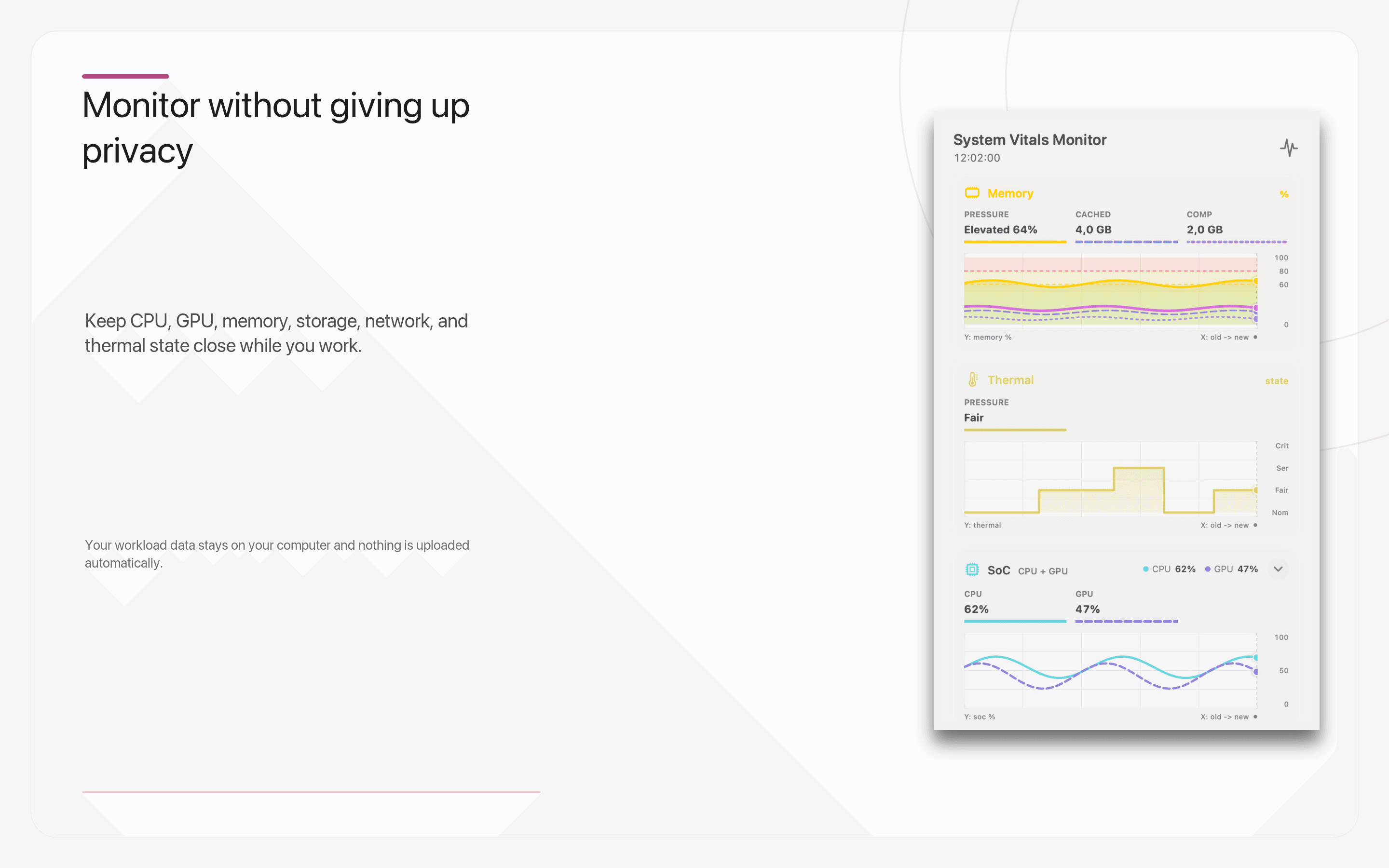
System Vitals Monitor
Native purchase guidance for macOSRecord the work that makes your Mac struggle. Upgrade Advisor turns private, aggregate system evidence into a practical answer: prioritize memory, CPU/GPU capability, or storage; try a cheaper fix first; or keep the Mac you already have.
The app is free to download. Apple shows the Lifetime Pro price for your region.
Free in version 2.0: Live monitoring, one-hour History, and one complete 30-minute Upgrade Advisor result are included.
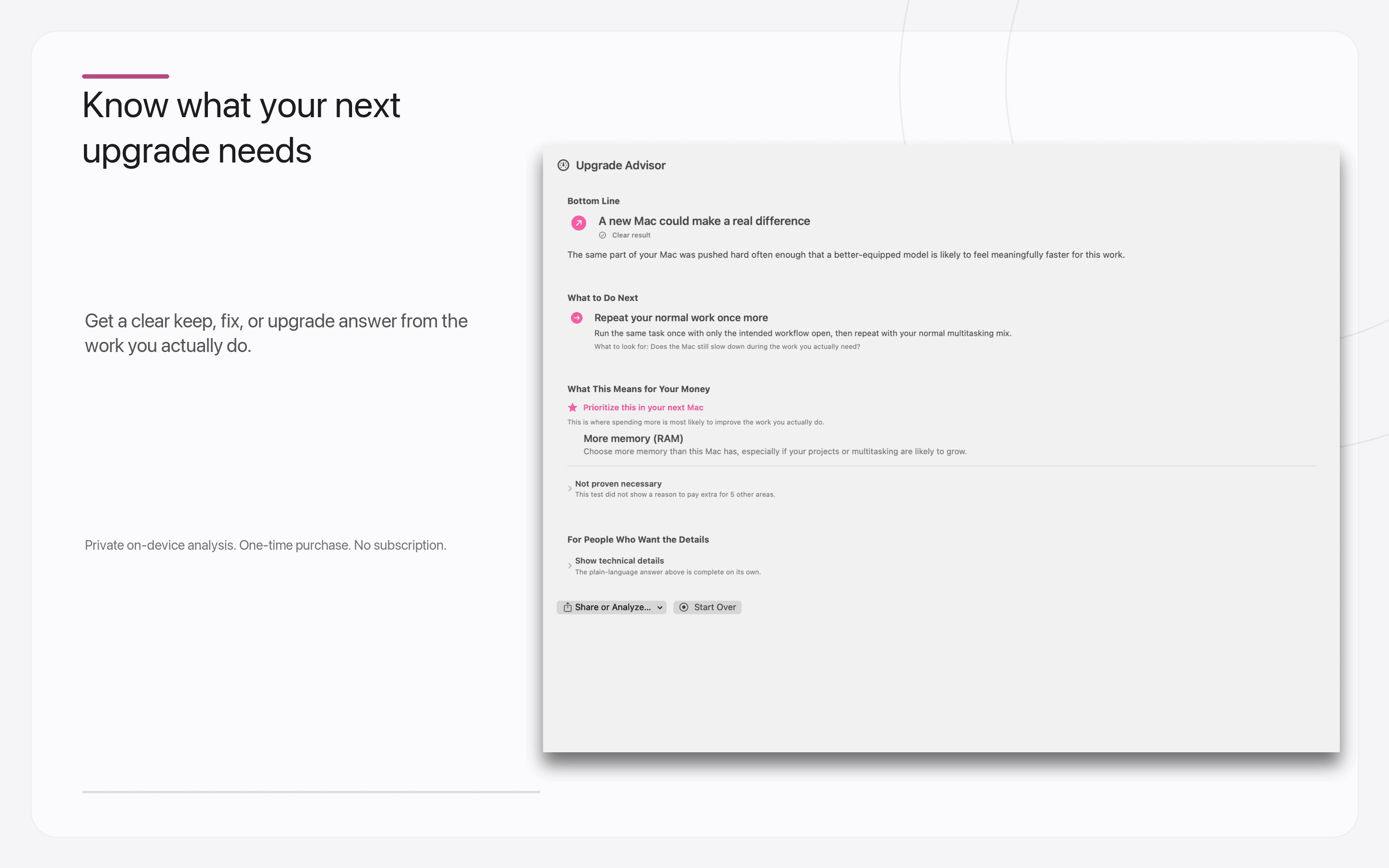
Upgrade Advisor in version 2.0
Record real work, mark the moments that feel slow, and receive a plain-language bottom line with the evidence and limitations still available when you want to inspect them.
One useful answer
Prioritize unified memory when sustained pressure is corroborated by compression or active swap behavior.
Separate per-core, multicore, and graphics demand so you do not pay for the wrong kind of compute.
See when internal capacity or storage activity deserves attention before assuming compute is the problem.
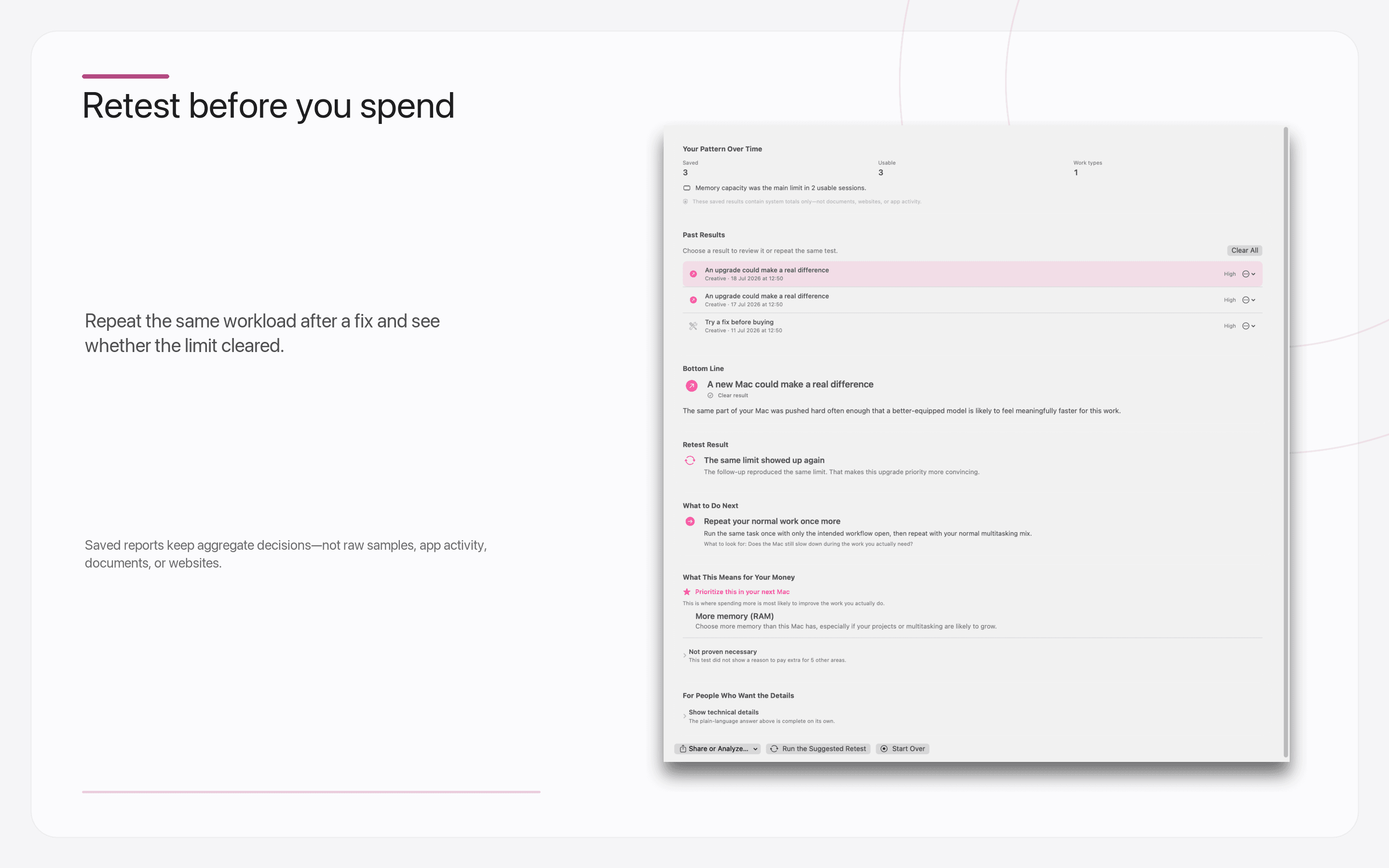
Try the supported fix and repeat the same workload before replacing a Mac that may still be right for you.
If local hardware does not align with the slow moments, look at the app, network, or remote service instead.
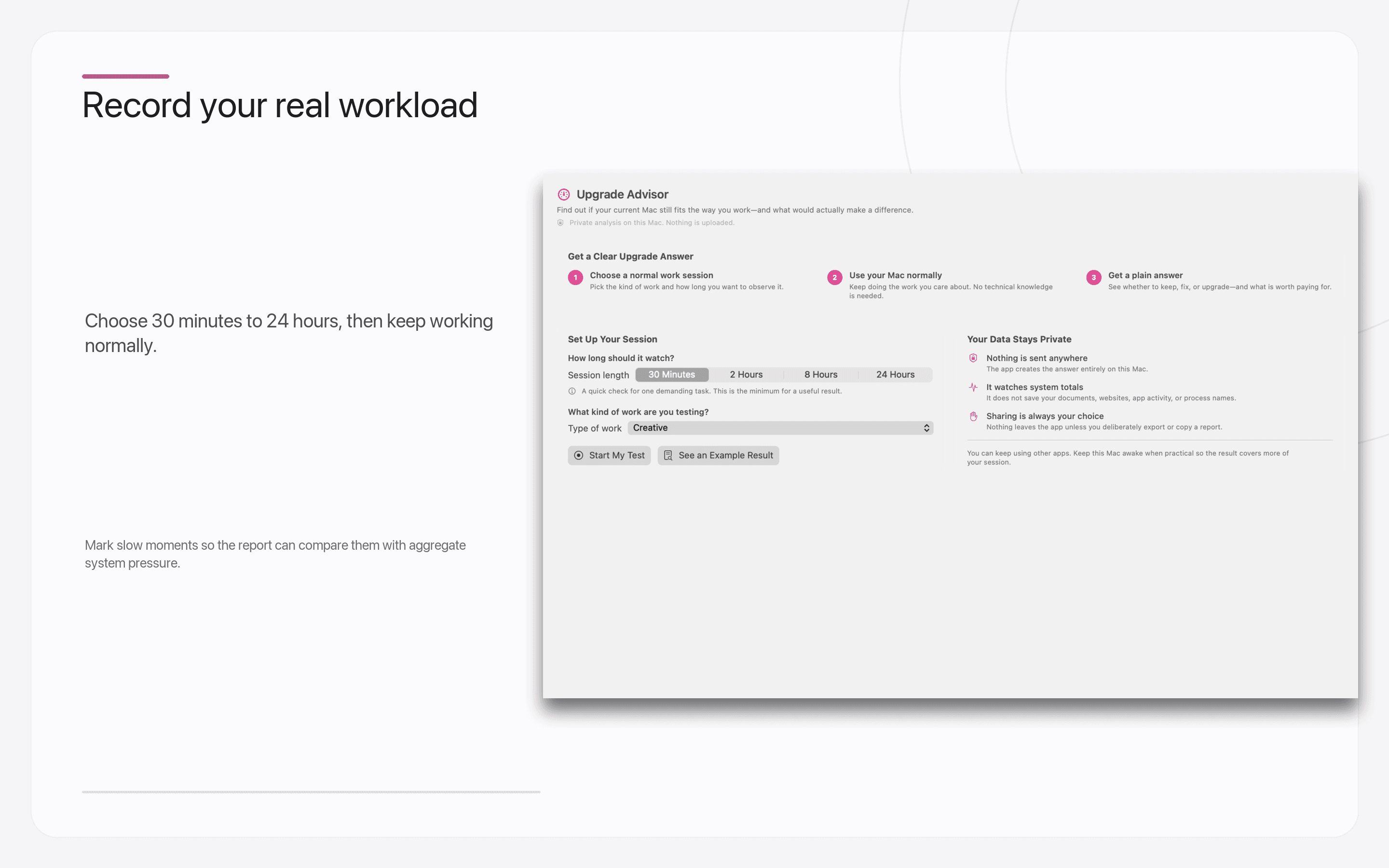
Record real work
Choose a session length, work as you normally do, and mark a slowdown when you feel one. The app requires enough fresh coverage before it will make a responsible recommendation.
Memory pressure is interpreted with compression and active swap behavior; existing swap use alone never creates a memory recommendation.
Mark a slowdown while it happens. Hardware findings must align with supported fresh signals around that moment.
Coverage, thermal state, Low Power Mode, and AC or battery operation keep conclusions appropriately cautious.
When the evidence does not support an upgrade, the app says so instead of turning every session into a sales pitch.
Version 2.0 · Available now
Private report library
Version 2.0 includes one complete 30-minute Upgrade Advisor result for free. Lifetime Pro adds longer and unlimited sessions, saved reports, guided retests, and privacy-filtered exports.
Version 2.0 · Available now
Current App Store release
The free download includes the live dashboard, compact and menu-bar monitoring, one-hour History, and one qualifying 30-minute Advisor result. Lifetime Pro adds 24-hour History, alerts, active disk and network tests, and the complete Advisor workflow.
Private. Local. Honest.
Upgrade Advisor uses App Store-safe aggregate signals and tested deterministic rules on your Mac. It does not need process names, files, browsing activity, an account, or a remote AI service.
Questions before buying
Yes. System Vitals Monitor 2.0 is free to download and includes one complete 30-minute Upgrade Advisor result. Lifetime Pro unlocks longer and unlimited sessions, saved reports, retests, and exports.
The free version includes live aggregate monitoring, the full dashboard, compact and menu-bar modes, one-hour History, and one qualifying 30-minute Upgrade Advisor result.
Lifetime Pro unlocks two-hour, eight-hour, and 24-hour Advisor sessions, unlimited future runs, saved reports, guided retests, private exports, 24-hour History, local performance alerts, disk benchmarks, and network speed tests.
You start a private session while doing the work you want to evaluate and mark any slow moments. The app compares supported aggregate CPU, GPU, memory, thermal, and storage signals over time, then gives a deterministic keep, fix-first, upgrade-likely, or record-more-data result with an honest confidence level.
No. The recommendation is produced locally by tested, deterministic rules. There is no built-in chatbot, account, cloud analysis, or analytics stream. You choose whether to export a privacy-bounded report.
No. It tells you what the recorded evidence supports prioritizing—and what it does not justify paying extra for. Exact model advice still depends on your budget, available configurations, and future needs.
It can show that the supported local hardware signals did not align with the slow moments you marked. In that case, it recommends checking application behavior, network latency, or remote services before spending money on a new Mac.
Version 2.0 shows aggregate CPU, GPU, memory pressure, storage, network, power, battery, and Apple's public qualitative thermal state. It does not promise private sensor access or system-wide process inspection.
No. System Vitals Monitor is free to download. Lifetime Pro is an optional one-time purchase with territory-specific pricing shown by Apple. Customers who bought the app before version 2.0 receive Pro access automatically.
System Vitals Monitor